
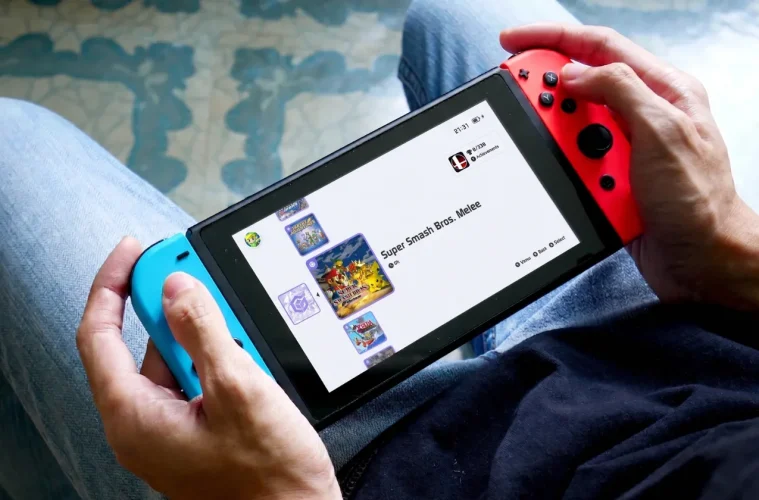
Emulating GameCube and Wii games on the Nintendo Switch just got a whole lot less painful. A new release of Tico, a custom emulation frontend for the Switch, now lets you run Dolphin directly on the console’s native Horizon OS through custom firmware, cutting out the old Android or Linux dance entirely. The Tico v0.7.0 alpha dropped on 21 April 2026, and it marks the first time GameCube and Wii games have run natively on the Switch’s own operating system.
For anyone who has ever tried to get Dolphin working on a Switch, you already know what a faff it used to be. You had to install Switchroot, boot into a whole different OS, and hope the overhead did not tank your performance. Tico sidesteps all of that.
GameCube and Wii are now running on Nintendo Switch (without Android or Linux), for the first time ever.
tico alpha 0.7.0 is out. https://t.co/tpdPx7CNoK pic.twitter.com/k9JQYVVblS
— Dan (@danticoverse) April 21, 2026
What The Tico v0.7.0 Update Actually Does
Tico is not just another emulator launcher. It is a multi-platform emulation frontend built from the ground up in native C++, designed specifically for performance and portability on Switch hardware. The whole idea behind it is to strip away the configuration headaches that usually come with emulation on a handheld.
The headline change in v0.7.0 is an experimental Dolphin core, added through a new Experimental tab in the Settings menu. Dolphin has to be enabled from there before it shows up in the main Tico interface, and the core itself is distributed independently, meaning you install or update it from the Settings screen rather than bundling it with the base app.
The developers have flagged this as the most demanding core Tico has run on Horizon OS so far, which is why it is sitting in alpha. Instability is expected at this stage, and a compatibility list is being put together to track which titles behave themselves. If a game crashes on launch, the dev notes suggest simply running it again, as it often starts correctly on the second attempt once shaders start caching.
You will also need to drop your GameCube and Wii dumps into specific folders for Tico to pick them up: sdmc:/tico/roms/gc for GameCube and sdmc:/tico/roms/wii for Wii.
Boost Mode, Clock Speeds, And Why Temperature Matters
To keep things running during heavier scenes, the Dolphin core automatically flips on boost mode, pushing the Tegra X1 chip to 1,785 MHz on the CPU and 768 MHz on the GPU. The developers say these limits are within safe territory, but they are also clear that they will not be held responsible for hardware damage, so keeping an eye on your device temperature during longer sessions is a good shout.
If you would rather run at lower clocks, you can override the default values using sys-clk. The trade-off is that some games will not behave properly at reduced speeds. Luigi’s Mansion, for instance, reportedly will not boot past the first cutscene unless the clocks are cranked back up.
How Tico Differs From Previous Switch Emulation Methods
There is an important distinction to make here. When people say GameCube and Wii games are running “natively” on the Switch, they do not mean the Switch hardware is running GameCube code as if it were a first-party title. The games are still being emulated. The word “natively” refers to the operating system.
Previously, getting Dolphin onto a Switch meant installing Switchroot to run Android or Linux, then launching the emulator from there. That extra OS layer ate into performance and meant rebooting your console every time you wanted to switch between a Switch game and a GameCube one.
With Tico, Dolphin runs straight on Horizon OS via custom firmware. No second operating system, no reboots, no overhead from running a whole Android environment in the background. It is a much cleaner setup, and that alone should translate to better real-world performance even in an alpha build.
Read More: Ningtendo PXBOX 5 – Now You May Play PlayStation, Xbox And Nintendo On One Console
Read More: Zelda Ocarina of Time Remake Reportedly Coming to Switch 2 This Christmas
The Features That Make Tico Worth Using
Beyond the Dolphin support, Tico has a few quality-of-life touches that matter for handheld use. The interface is controller-first, so you can navigate the whole thing with a Joy-Con or Pro Controller in either handheld or docked mode. You are not fighting with a mouse-driven UI that was never meant to live on a console.
It also handles automatic game library management, so you do not need to sit there renaming ROM files to get them recognised. Drop your files in and Tico sorts them out. The developers describe it as a “zero configuration” setup, and for anyone who has wrestled with other emulation frontends, that is a genuinely appealing pitch.
What You Need To Run Tico On Your Switch
Tico will not run on a stock Nintendo Switch. You need custom firmware (CFW) installed, which is what lets you run homebrew apps, custom themes, and anything else outside Nintendo’s walled garden. Whether you can install CFW depends on which Switch model you own.
| Switch Model | CFW Compatibility | Method Required |
|---|---|---|
| Switch V1 (launch units) | Supported | Software-based exploit |
| Switch V2 | Supported | Hardware modification required |
| Switch OLED | Supported | Hardware modification required |
Once CFW is sorted, you grab the Tico v0.7.0 alpha release from GitHub, install it, and add your own legally obtained GameCube and Wii ROMs. From there, everything runs through Tico’s frontend without needing to reboot or juggle operating systems.
GameCube Games Tested On Tico v0.7.0
The dev has put out a proper compatibility list for this release, and the GameCube side is looking healthier than you might expect for a first alpha. Shader compilation causes early stutter in most titles, which is normal for Dolphin and smooths out once cached.
| Game | Status | Notes |
|---|---|---|
| Luigi’s Mansion | Runs well | Sluggish menu, early shader stutter, needs higher clocks to boot |
| The Legend of Zelda: The Wind Waker | Demanding | Slowdowns in open areas, smoother indoors, needs higher clocks |
| The Legend of Zelda: Twilight Princess | Runs well | Minor slowdowns in large areas, stable overall |
| Mario Kart: Double Dash!! | Runs well | Initial shader stutter on early scenes |
| Eternal Darkness | Mixed | First nightmare scene is very laggy, rest is playable |
| Sonic Riders | Runs well | No slowdowns observed |
| Super Smash Bros. Melee | Runs well | Stage load stutter from shader compilation |
| Star Fox Adventures | Runs well | Slow menu, early shader stutter |
| Need for Speed Underground 2 | Partial | Buggy intros, slow race starts but playable |
| FIFA Street 2 | Runs well | Buggy intros, fully playable in-game |
Wii Games Tested On Tico v0.7.0
The Wii compatibility list is shorter but cleaner, with most tested titles running without major issues. Only one outright failure has been logged so far.
| Game | Status | Notes |
|---|---|---|
| Rayman Origins | Runs well | No issues observed |
| Muramasa: The Demon Blade | Runs well | No issues observed |
| MadWorld | Runs OK | Playable with minor issues |
| Rhythm Heaven Fever | Fully playable | No issues observed |
| Call of Duty: Modern Warfare 3 | Crashes | Crashes during first level loading screen (EUR ROM) |
Other Changes In The v0.7.0 Release
Dolphin is the main event, but it is not the only thing in this update. The Sega Saturn core (Yabasanshiro) has picked up a simulated BIOS option, which lets you skip the Saturn BIOS entirely if you would rather not deal with it. The dev has also flagged that fixes and updates for other cores will be rolling out throughout the week, pullable from the Updater in the Settings screen whenever you are ready.
Where Switch Emulation Goes From Here
If you have not upgraded to a Switch 2 yet, this is a solid reason to hang onto your original console. The original Switch was already a capable emulation machine for older systems, and pulling GameCube and Wii into the mix through Horizon OS turns it into something much closer to a proper retro handheld, without the performance hit of running Android in the background.
There is still work to be done before Tico’s Dolphin core hits the polish of running the same games on PC or a Steam Deck, but the direction is clear. As the alpha matures and the compatibility list fills out, the Switch is shaping up to be one of the most convenient ways to play through your GameCube and Wii libraries on the go.